Gaming PC Power Supply: A Complete Guide to Choosing the Right PSU
A Gaming PC power supply unit (PSU) is crucial for the system’s overall performance. While gamers often prioritize the graphics card, CPU, RAM, and storage, the PSU provides stable and reliable power to all components. Selecting the right PSU enhances system stability, safeguards valuable hardware, and ensures sufficient power for future upgrades.
Whether building a budget gaming PC or a high-end system, understanding key factors like wattage, efficiency, connectors, and protection features is essential for making an informed PSU choice.
What Is a Gaming PC Power Supply?
A power supply unit (PSU) converts electricity from your wall outlet into various voltages needed by your computer’s internal components. The motherboard, CPU, graphics card, storage drives, fans, and other hardware all rely on the PSU for power.
A good gaming PC power supply must deliver consistent power without fluctuations. A low-quality PSU can lead to crashes, unexpected shutdowns, and hardware issues. Therefore, the PSU should be considered a critical component, not just an area to cut costs by choosing the cheapest option.
Why Is a Good PSU Important for Gaming?
Modern gaming PCs often consume significant electricity, especially with powerful graphics cards and processors. During demanding games, the GPU and CPU can rapidly increase their power consumption.
A quality PSU is built to handle sudden power consumption changes while maintaining stable output. It also offers essential protection against overvoltage, overcurrent, short circuits, and excessive temperatures.
A reliable Gaming PC power supply can offer several benefits:
- Stable power delivery
- Better system reliability
- Protection for expensive components
- Support for powerful graphics cards
- Lower energy waste with efficient models
- Easier future upgrades
- Potentially quieter operation
How Many Watts Does a Gaming PC Need?
When selecting a gaming PC power supply, the wattage needed depends on your computer’s components.
- A basic gaming PC with an entry-level graphics card typically requires a 500W to 600W quality PSU.
- Mid-range systems usually need around 650W to 750W.
- High-end gaming PCs may demand 850W, 1000W, or more.
Wattage should consider the entire system: CPU, GPU, storage, cooling, RGB lighting, and potential future upgrades. It’s also wise to leave some headroom rather than running the PSU near its maximum capacity continuously for better reliability and longevity.
PSU Efficiency Ratings Explained
Power supply efficiency describes how effectively a PSU converts electricity from the wall into usable power for your PC.
The 80 PLUS system is commonly used to indicate PSU efficiency. You may see ratings such as:
- 80 PLUS
- Bronze
- Silver
- Gold
- Platinum
- Titanium
Generally, higher efficiency ratings indicate that less electricity is wasted as heat under the relevant testing conditions.
For many gaming PCs, an 80 PLUS Gold PSU can be a practical balance between efficiency, quality, and price. However, efficiency rating alone does not guarantee that a particular PSU is excellent. Build quality, protections, warranty, platform design, and independent testing are also important.
Modular vs. Non-Modular Power Supplies
Another important feature of a Gaming PC power supply is its cable design.
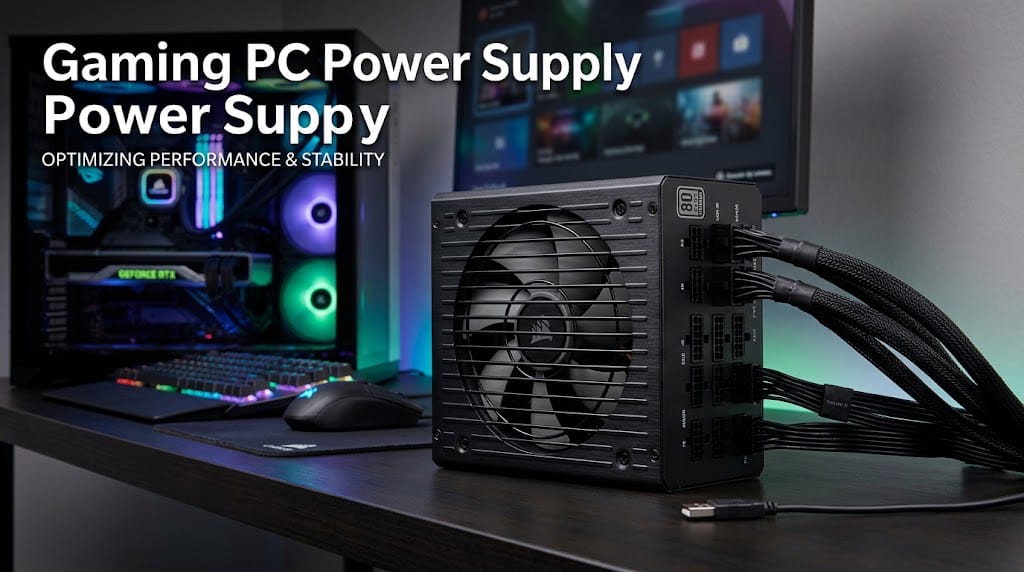
A non-modular PSU has all of its cables permanently attached. This can make cable management more difficult because unused cables have to be stored inside the case.
A semi-modular PSU has some important cables permanently attached while other cables can be connected when needed.
A fully modular PSU allows you to connect only the cables required for your system. This can make PC building and cable management cleaner and easier.
For gaming PC builders who care about appearance and airflow, modular designs can be especially convenient.
Important PSU Connectors
Before buying a Gaming PC power supply, make sure it includes the connectors required by your components.
Common connectors include motherboard power connectors, CPU power connectors, SATA power connectors, and graphics-card power connectors. Modern graphics cards can also use newer high-power connectors, depending on the model.
Always check the power requirements and connector recommendations for your specific GPU and motherboard before purchasing a PSU.
Using the correct cables is also important. Modular PSU cables are generally not interchangeable between different PSU models, even when the connectors appear similar. Always use cables designed for your specific power supply.
Choosing a PSU for Your Graphics Card
The graphics card is usually one of the largest power consumers in a gaming PC. Therefore, GPU requirements should play an important role when selecting your PSU.
Graphics cards vary significantly in power consumption. An entry-level GPU may have modest requirements, while a high-end gaming GPU can demand considerably more power.
Manufacturers often provide recommended PSU wattages for their graphics cards. These recommendations are a useful starting point, but you should still consider the CPU and other components in the system.
If you plan to upgrade your graphics card later, choosing a PSU with additional capacity can reduce the need to replace it during the upgrade.
PSU Protection Features
A quality Gaming PC power supply should include multiple safety protections. These features are designed to help protect both the PSU and the connected hardware.
Important protections can include:
- Over-voltage protection: Helps protect components if voltage becomes too high.
- Under-voltage protection: Helps respond to unusually low voltage.
- Over-current protection: Helps prevent excessive current.
- Short-circuit protection: Helps protect the system during a short circuit.
- Over-temperature protection: Helps protect the PSU if temperatures become excessive.
- Over-power protection: Helps prevent operation beyond the PSU’s designed power limits.
These features make a quality PSU a valuable part of a reliable gaming system.
What Makes a High-Quality Gaming PSU?
Wattage is important, but it is not the only factor to consider. Two PSUs with the same wattage can have very different quality levels.
When choosing a Gaming PC power supply, look for a reputable manufacturer, a suitable efficiency rating, strong warranty coverage, adequate connectors, and reliable protection features.
Independent reviews and testing can also be helpful because they can reveal how a PSU performs under different loads and temperatures.
Avoid selecting a PSU simply because it has a large wattage number. A well-designed 750W PSU from a reputable manufacturer can be a better choice than a poorly designed unit advertised with a higher wattage.
Should You Buy a Bigger PSU?
Buying a larger PSU than your system currently requires can make sense, especially if you expect to upgrade your hardware.
For example, if your current PC comfortably fits within a 650W PSU but you expect to install a more powerful graphics card later, choosing a quality 750W or 850W model may provide additional flexibility.
However, there is no need to buy an extremely powerful PSU for a low-power computer. A larger unit can cost more without providing meaningful benefits if your system does not need the additional capacity.
The goal is to choose an appropriate amount of power with reasonable headroom.
PSU and Gaming Performance
A power supply does not normally increase gaming FPS by itself. Your graphics card and processor have a much greater direct impact on gaming performance.
However, the PSU can affect overall system stability. If a PSU cannot reliably provide the power required by your hardware, the computer may experience instability under heavy gaming loads.
A suitable PSU helps your CPU and GPU operate within their intended power requirements, allowing the rest of the system to work reliably.
Common Mistakes When Buying a Gaming PSU
Many new PC builders make the mistake of focusing only on price or wattage.
One common mistake is buying an extremely cheap PSU from an unknown manufacturer. Another is choosing too little wattage for a power-hungry graphics card. Some buyers also forget to check whether the PSU has the necessary connectors.
Other mistakes include ignoring efficiency, protection features, warranty coverage, and physical compatibility with the PC case.
Taking a few extra minutes to research these details can prevent problems later.
How to Calculate Your PSU Requirements
To estimate your PSU requirements, start by checking the power requirements of your CPU and GPU. Then consider the motherboard, storage drives, cooling system, fans, USB-powered devices, and other components.
After estimating total system consumption, leave some additional capacity for power spikes and future upgrades.
For example, a gaming system that is estimated to consume around 500W under demanding workloads could reasonably use a quality PSU with additional headroom rather than choosing a unit rated exactly at 500W.
Remember that these are general guidelines. Always check the specifications and recommendations for your specific hardware.
Final Thoughts
A Gaming PC power supply deserves just as much attention as other major components in a gaming build. The right PSU provides stable power, supports your hardware, offers important protection features, and can give you room for future upgrades.
When choosing a PSU, consider total wattage, efficiency, build quality, connectors, modular design, safety protections, warranty, and the requirements of your graphics card and processor.
For many gamers, a reputable and efficient PSU with reasonable headroom is a smart investment. Instead of choosing the biggest or cheapest unit available, select a power supply that matches your system and comes from a reliable manufacturer. A quality PSU can help create a stable, dependable gaming PC that is ready for both today’s games and tomorrow’s upgrades.