Cheap Gaming PC: How to Build or Choose an Affordable Gaming Computer
If you want a Cheap Gaming pc that can handle modern games without spending a fortune, you have plenty of options in 2026. Gaming PCs do not always need expensive processors, high-end graphics cards, or premium accessories. With the right combination of components, you can build or buy an affordable gaming computer that delivers smooth gameplay and good performance.
A budget gaming PC is especially useful for beginners, students, and casual gamers who want to enjoy popular games while keeping costs under control. The key is to spend your money on the components that have the biggest effect on gaming performance.
What Is a Cheap Gaming PC?
A cheap gaming PC is an affordable computer designed primarily for playing games. Unlike a standard office computer, it usually includes a dedicated graphics card, a capable processor, enough RAM, and fast storage.
The meaning of “cheap” depends on your budget and location. Instead of focusing only on the lowest price, it is better to look for the best performance you can get for your money. A slightly more expensive system can sometimes provide much better gaming performance and remain useful for several years.
A good affordable gaming PC should provide reliable performance in popular games such as Fortnite, Minecraft, Valorant, Counter-Strike 2, Rocket League, and many other titles.
Choose the Right Graphics Card
The graphics card, or GPU, is one of the most important components in a gaming PC. It handles much of the graphical workload and has a major impact on frame rates.
For a cheap gaming PC, you do not necessarily need a flagship graphics card. A budget or entry-level dedicated GPU can provide excellent 1080p gaming when paired with the right processor.
When choosing a graphics card, consider:
- 1080p gaming performance
- Available video memory
- Power consumption
- Compatibility with your power supply
- Support for modern graphics features
- Current price
Older graphics cards can also be worth considering if they are available at a reasonable price and are in good condition. However, always check their condition and remaining useful life before buying a used component.
Pick a Capable Processor
The CPU is another important part of a gaming computer. It manages game instructions, background applications, and many tasks that support the GPU.
For an affordable gaming system, a modern entry-level or mid-range processor is usually enough. You do not need the most powerful CPU available.
When selecting a processor, look for:
- Good gaming performance
- Multiple CPU cores
- Modern architecture
- Compatibility with your motherboard
- Reasonable power consumption
- Affordable pricing
A balanced CPU and GPU combination is important. Buying an extremely powerful processor while using a very weak graphics card can waste money that could have been spent on better gaming performance.
How Much RAM Does a Budget Gaming PC Need?
RAM allows your computer to handle games and applications efficiently. For a modern gaming PC, 16GB of RAM is a practical starting point for many gamers.
While 8GB can work for some basic games, 16GB provides more flexibility for modern titles, web browsers, voice chat, and other applications running in the background.
If your budget allows it, choose two compatible memory modules rather than relying on a single stick when the platform supports dual-channel memory. This can improve overall system performance.
SSD Storage Is Worth the Money
Storage is another area where budget gamers should make smart choices. A solid-state drive, or SSD, is generally much faster than a traditional hard disk drive.
A cheap gaming PC with an SSD can start Windows faster, launch applications more quickly, and reduce game loading times.
A 500GB SSD can be a reasonable starting point for a budget system. However, modern games can require a lot of storage, so a 1TB SSD may be a better long-term choice if the price difference is reasonable.
You can also add additional storage later as your game library grows.
Select a Reliable Motherboard
The motherboard connects your processor, RAM, storage, graphics card, and other components. For a budget PC, you do not need an expensive motherboard with features you will never use.
Instead, choose a reliable motherboard that supports your selected CPU and provides the ports and expansion options you need.
Before purchasing, check:
- CPU socket compatibility
- RAM compatibility
- Number of M.2 slots
- USB ports
- PCIe expansion slots
- Wi-Fi availability if required
- Future upgrade options
Spending less on unnecessary motherboard features can help you put more of your budget toward the graphics card.
Don’t Ignore the Power Supply
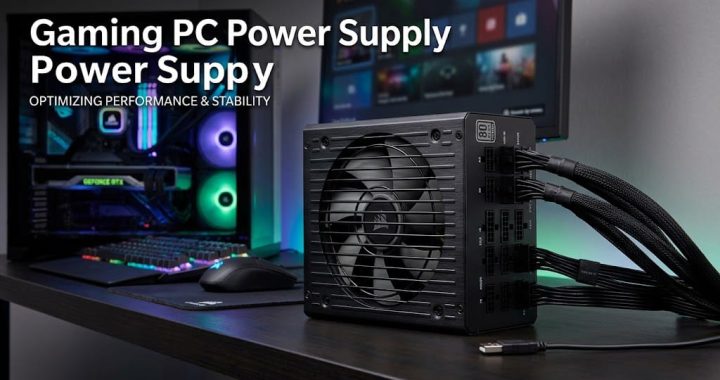
The power supply unit, or PSU, provides electricity to all the components in your PC. It is one component where buying the cheapest possible option can be a bad idea.
Choose a reputable power supply with enough wattage for your CPU and GPU. A quality PSU can provide stable power and help protect your components.
Avoid unknown brands simply because they offer a very low price. A reliable power supply is an important part of any gaming computer.
Budget PC Case and Cooling
You also need a suitable case for your gaming PC. A budget case can work perfectly well as long as it provides reasonable airflow and supports your selected components.
Good airflow helps keep the CPU and graphics card at reasonable temperatures during gaming. Look for a case with ventilation and enough space for your graphics card, CPU cooler, storage drives, and power supply.
You do not need expensive RGB lighting or premium glass panels to build a good gaming PC. Those features can look attractive, but they do not directly increase gaming performance.
Build vs. Buy a Cheap Gaming PC
One of the biggest decisions is whether to build your own PC or purchase a prebuilt system.
Building your own computer can provide better control over component selection. You can choose exactly where your money goes and potentially get better performance for your budget. It also gives you valuable experience with computer hardware.
A prebuilt gaming PC, on the other hand, is convenient. The manufacturer assembles and tests the computer, so you can start gaming without installing every component yourself.
If you are a beginner, compare the specifications carefully before buying a prebuilt system. Check the exact processor, graphics card, RAM, storage, and power supply instead of judging the computer only by its advertised name.
Used Gaming PCs Can Save Money
Buying a used gaming PC can be another way to get strong performance on a limited budget. Many gamers upgrade their computers and sell their previous systems.
A used PC may offer better hardware for the same amount of money as a new entry-level system. However, you should inspect the computer carefully.
Before buying used hardware, check:
- Overall physical condition
- CPU and GPU temperatures
- Storage health
- RAM capacity
- Power supply brand and model
- Graphics card condition
- Whether the PC runs games properly
If possible, test the computer before purchasing it.
1080p Gaming Is Ideal for Budget Systems
For many budget gamers, 1080p resolution is a great target. You can achieve good image quality without requiring an extremely powerful graphics card.
A cheap gaming PC designed for 1080p can be suitable for competitive games and many popular single-player titles. You can adjust settings such as shadows, textures, reflections, and anti-aliasing to improve performance when necessary.
If a game runs slowly, reducing a few demanding graphics settings can often provide a noticeable improvement.
Don’t Spend Too Much on Accessories
A gaming setup includes more than the PC itself, but accessories can quickly increase the total cost.
You do not need the most expensive gaming keyboard, mouse, headset, or monitor to enjoy games. A basic mechanical or membrane keyboard, comfortable mouse, and affordable gaming headset can be enough for most beginners.
If you already own a monitor and peripherals, use them initially and put your available budget toward the PC itself. You can upgrade accessories later.
How to Get the Best Value
Getting the best value from a cheap gaming PC requires smart budgeting. Start by deciding which games you want to play and what resolution you want to use.
For example, someone playing lightweight competitive games does not need the same hardware as someone playing demanding AAA games.
Prioritize your spending in this general order:
- Graphics card
- Processor
- RAM
- SSD storage
- Power supply
- Motherboard
- Case and additional features
The exact priority can change depending on component prices, but the main goal is to create a balanced system.
Can a Cheap Gaming PC Run Modern Games?
Yes, an affordable gaming PC can run many modern games. However, performance depends on the specific hardware and the game’s requirements.
Some demanding games may require lower graphics settings to maintain smooth frame rates. Competitive games are often easier to run than graphically intensive AAA titles.
Before purchasing a component or complete PC, check the game’s recommended requirements and compare them with the computer’s specifications.
Upgrade Your PC Over Time
You do not have to build your dream gaming PC on day one. One advantage of a desktop computer is that many components can be upgraded later.
You might begin with 16GB of RAM and a modest graphics card, then upgrade the GPU or add more storage in the future. This approach can make gaming more affordable because you can spread the cost over time.
Just make sure your motherboard, power supply, case, and other components provide enough compatibility for your planned upgrades.
Final Thoughts
A cheap gaming PC can provide an excellent gaming experience when its components are selected carefully. You do not need an expensive computer to enjoy popular games, especially if you are comfortable gaming at 1080p and adjusting graphics settings.
Focus on getting a balanced processor and graphics card, choose 16GB of RAM when possible, use an SSD for faster storage, and never compromise too much on power supply quality. Whether you build a PC yourself, purchase a prebuilt model, or consider a carefully tested used system, smart research can help you get much more gaming performance for your money.
The best budget gaming computer is not necessarily the cheapest machine available. It is the system that delivers the performance you need while leaving room for future upgrades. With careful component selection and realistic expectations, affordable PC gaming can be both enjoyable and accessible.