Best PC for Video Editing
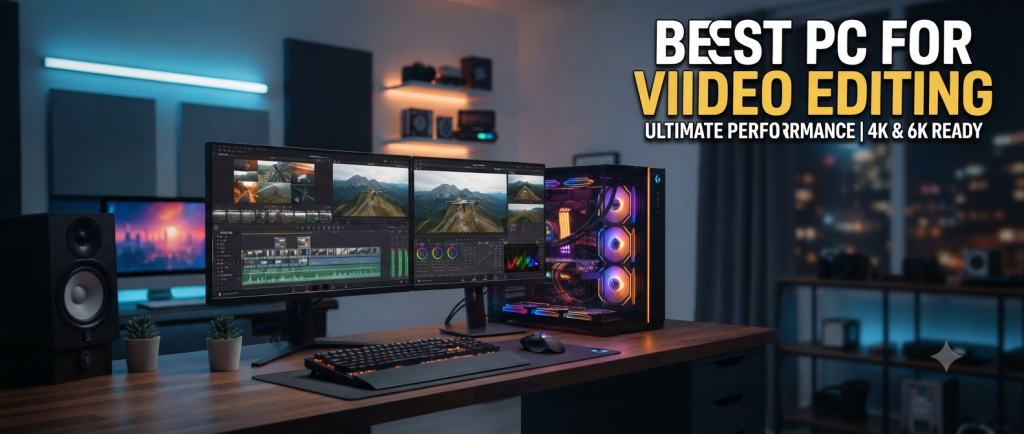
Best PC for Video Editing can make a huge difference when you work with high-resolution footage, professional editing software, effects, and large video projects. A powerful computer helps editors work faster, preview projects smoothly, and reduce waiting time when exporting finished videos. Whether you create YouTube videos, social media content, documentaries, or professional productions, choosing the right PC is important.
Why a Good PC Matters for Video Editing
Video editing requires more than basic computer performance. Editing applications such as Adobe Premiere Pro, DaVinci Resolve, and similar software can use the processor, graphics card, RAM, and storage at the same time. A weak computer may cause slow previews, delayed effects, crashes, and long export times.
The Best PC for Video Editing should have a balanced combination of powerful hardware rather than focusing on only one component. A fast processor helps with many editing and encoding tasks, while a capable graphics card improves performance with effects, color grading, and GPU-accelerated features.
Processor: The Heart of an Editing PC
The processor is one of the most important components in a video editing computer. Modern CPUs with multiple cores and strong performance can handle demanding editing applications efficiently.
For basic 1080p editing, a modern mid-range processor can be sufficient. However, creators working with 4K or higher-resolution footage should consider a higher-end CPU with multiple cores and strong single-core performance.
When choosing the Best PC for Video Editing, look for a recent-generation processor from a reputable manufacturer. A powerful CPU can also make exporting, rendering, multitasking, and background processing considerably faster.
Graphics Card for Video Editing
A dedicated graphics card is another important part of a video editing PC. Many editing programs use GPU acceleration for effects, transitions, color correction, playback, and rendering.
For regular 1080p projects, a mid-range graphics card can provide excellent performance. For 4K editing, advanced effects, 3D work, and demanding color-grading workflows, a more powerful GPU is recommended.
The amount of video memory, or VRAM, is also important. A GPU with sufficient VRAM can handle high-resolution projects more comfortably and reduce performance limitations when working with complex timelines.
How Much RAM Do You Need?
RAM affects how smoothly your computer can handle large projects and multitasking. For basic video editing, 16GB of RAM is a reasonable starting point. However, 32GB is a better choice for serious creators who regularly work with 4K footage.
Professionals working on complex projects, large timelines, high-resolution media, or multiple applications may benefit from 64GB or more.
If you are searching for the Best PC for Video Editing, choosing enough RAM can help prevent slowdowns when switching between editing software, browsers, audio applications, and other tools.
Storage: SSD Is the Better Choice
Storage speed has a noticeable impact on video editing. Traditional hard drives offer large capacities at lower prices, but SSDs provide much faster loading and file-transfer performance.
A good editing PC should ideally use an NVMe SSD for the operating system, editing applications, and active projects. A second SSD or large storage drive can be used for video footage and project archives.
For creators who work with large 4K or 8K files, storage capacity should not be overlooked. Video files can consume hundreds of gigabytes quickly, especially when keeping original footage and multiple project versions.
Display Quality Matters Too
Although the PC itself is important, the monitor is also a major part of an editing setup. A good monitor should provide accurate colors, suitable brightness, and a resolution that makes it easy to work with detailed timelines.
A 27-inch 4K monitor can be an excellent choice for editors who want more workspace and detailed previews. Creators working professionally with photography and video may also want a display with good color coverage and calibration options.
Cooling and Power Supply
Powerful components generate more heat, especially during long editing and rendering sessions. A reliable cooling system helps maintain consistent performance and prevents excessive thermal throttling.
A quality power supply is equally important. The PSU should provide enough power for the CPU, graphics card, storage, and other components while leaving some room for future upgrades.
A well-built PC with good airflow can remain more stable during long rendering sessions than a poorly ventilated system.
Desktop vs. Prebuilt PC
When choosing the Best PC for Video Editing, you can either build a custom desktop or purchase a prebuilt computer.
A custom PC allows you to select individual components according to your budget and editing requirements. It can also make future upgrades easier.
A prebuilt PC is more convenient because the components are already installed and tested. It can be a good option for beginners who do not want to assemble a computer themselves.
Both options can provide excellent performance if the hardware is properly balanced.
Best PC Specifications for Different Editors
Different creators have different requirements. A beginner editing 1080p videos does not necessarily need an expensive workstation.
A good entry-level editing PC could include:
- Modern 6-core or better processor
- 16GB RAM
- Dedicated graphics card
- 1TB SSD
- Good-quality power supply
- Efficient CPU cooling
For serious 4K editing, a stronger configuration is recommended:
- High-performance multi-core processor
- 32GB RAM
- Dedicated GPU with sufficient VRAM
- 1TB or 2TB NVMe SSD
- Additional storage for video files
- Strong cooling system
Professional editors working with large 4K or 8K projects may want 64GB or more RAM, a high-end CPU, a powerful GPU, and multiple high-speed storage drives.
Software Compatibility
Before buying a PC, check the system requirements of the software you plan to use. Adobe Premiere Pro, DaVinci Resolve, After Effects, and other applications can have different hardware requirements.
GPU acceleration is especially important for certain effects and workflows. Some software may perform better with specific graphics technologies, so checking compatibility before purchasing can help you avoid unnecessary upgrades.
A balanced system is generally better than spending most of your budget on one component while neglecting the others.
Upgradability
Another factor to consider when selecting the Best PC for Video Editing is future upgrade potential. Video editing requirements can increase as you move from 1080p to 4K and eventually higher resolutions.
Choose a motherboard with suitable RAM slots, storage connections, and expansion options. A case with enough space for additional drives and larger graphics cards can also make future upgrades easier.
Buying a system that can be upgraded over time can save money compared with replacing the entire computer.
Budget Considerations
Your budget should match the type of video editing you perform. Beginners can start with a reasonably priced PC for simple 1080p projects. You do not need an extremely expensive workstation if your projects are short and relatively simple.
For regular 4K editing, investing more in the processor, graphics card, RAM, and SSD can provide better long-term value.
The Best PC for Video Editing is not necessarily the most expensive computer. Instead, it is the system that provides the right combination of performance, reliability, storage, and upgradeability for your specific workflow.
Final Thoughts
Choosing the Best PC for Video Editing requires looking at the entire system rather than a single specification. A strong processor, capable graphics card, sufficient RAM, fast SSD storage, reliable cooling, and a quality power supply all contribute to a smooth editing experience.
For beginners, 16GB RAM and a modern mid-range system can be enough for many 1080p projects. For serious creators, 32GB RAM, a powerful GPU, and fast NVMe storage are excellent targets for 4K editing. Professionals handling demanding projects should consider higher-end components and additional storage.
The right PC can make editing more enjoyable, reduce rendering times, improve playback, and help you spend more time creating content instead of waiting for your computer. Before purchasing, always consider your editing software, project resolution, budget, and future needs.