Best Mini PC for Plex: Your Ultimate Guide to Smooth Home Media Streaming
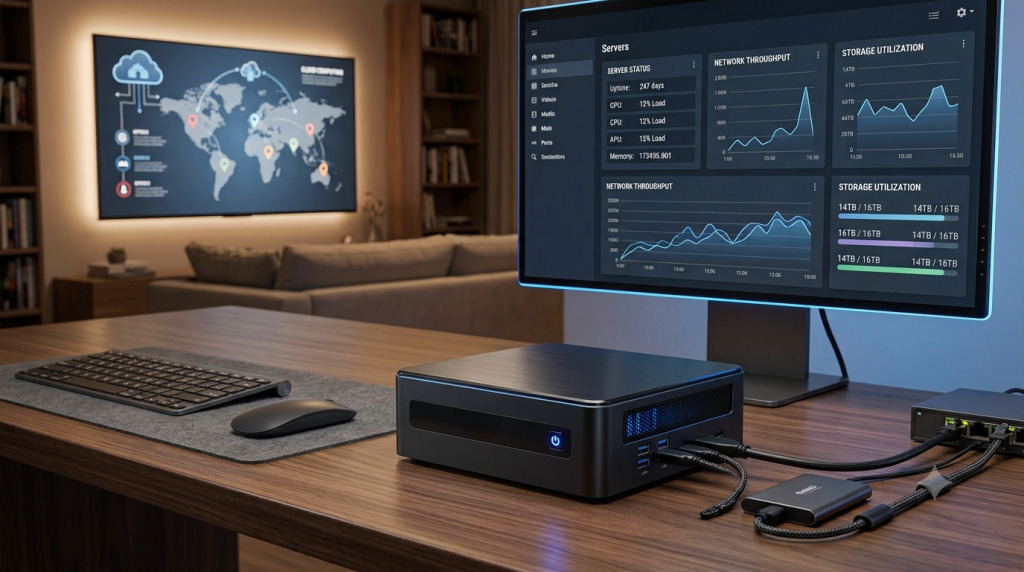
If you’re dreaming of a sleek, efficient way to stream all your favorite movies, shows, and music, a mini PC might just be your best friend. Compact yet powerful, these little machines are perfectly suited to run Plex Media Server, delivering smooth playback whether you’re watching in HD or diving into a 4K library.
Today, let’s explore what makes the best mini PC for Plex, key features to look for, and some standout models that can turn your media setup into a seamless entertainment hub.
Why Go for a Mini PC with Plex?
Mini PCs are a fantastic alternative to bulky desktops. They take up minimal space, sip electricity, and run almost silently. Modern mini PCs come with processors that often include hardware video encoding and decoding, which is a huge plus for Plex users who want flawless streaming without bogging down their system.
Picking the best mini PC for Plex means you get:
- Smooth playback of 1080p and 4K content
- Quick scanning and loading of your media library
- Ability to handle multiple streams at once
- Energy-efficient operation
- A compact design that fits anywhere in your home
What to Look for When Choosing the Best Mini PC for Plex
Powerful Processor
The CPU is the engine under the hood. Intel Core i5 or i7 and AMD Ryzen 5 or 7 processors are excellent choices. Intel chips with Quick Sync Video are especially handy because they excel at hardware transcoding, which is essential for smooth streaming.
Enough RAM
For most setups, 8GB of RAM will do just fine. But if you’re running extra applications, virtual machines, or have multiple users streaming, bumping up to 16GB is a smart move.
Fast SSD Storage
An SSD is a game changer for speed. A 512GB SSD lets your system and Plex run swiftly, while additional external drives can store your growing media collection.
Hardware Transcoding Support
This feature lets your server convert videos on the fly without overloading the processor. It’s crucial for handling different devices and remote streaming.
Expandable Storage
Look for mini PCs that support adding more SSDs or connecting external USB drives so your media library can grow as big as you need.
Top Mini PC Picks for Plex
Intel NUC
Intel NUCs are often the first choice for Plex fans. These compact systems offer solid performance, quiet operation, and excellent hardware transcoding thanks to Intel Quick Sync.
- Pros: Great performance, small size, quiet, strong transcoding
- Cons: Newer models can be pricey
Beelink Mini PC
Beelink brings budget-friendly mini PCs with up-to-date Intel and AMD processors. They’re fast, cool well, and easy to upgrade, making them a great value.
- Pros: Affordable, fast SSD, good cooling, upgrade-friendly
- Cons: Entry-level models might struggle with multiple 4K streams
Minisforum Mini PC
Popular for Ryzen powerhouses, Minisforum offers compact machines that handle multitasking and storage with ease.
- Pros: Strong Ryzen CPUs, compact, fast storage, great multitasking
- Cons: AMD models lack Intel Quick Sync transcoding
ASUS Mini PC
ASUS mini PCs are known for reliability and business-grade quality. They make excellent dedicated Plex servers with stable performance and quiet operation.
- Pros: Trusted brand, quiet, stable, easy setup
- Cons: Slightly pricier
GMKtec Mini PC
GMKtec offers budget options that work well for smaller Plex libraries and simple home setups.
- Pros: Affordable, low power, compact, easy install
- Cons: Limited for heavy transcoding
Can These Mini PCs Handle 4K Streaming?
Absolutely! Most modern mini PCs with Intel Core or newer AMD Ryzen processors handle 4K streaming effortlessly. If your devices support direct play, even modest systems do well. But for multiple simultaneous 4K transcodes, a more powerful processor with hardware acceleration is key.
The best mini PC for Plex supports hardware transcoding, ensuring smooth playback on smart TVs, smartphones, tablets, and laptops alike.
Understanding Plex Direct Play vs. Transcoding
Direct Play
This sends your original video file straight to your device, which keeps quality high and CPU usage low.
- Benefits: Highest quality, minimal CPU load, energy efficient
Transcoding
Transcoding converts videos to compatible formats for different devices or slower internet, allowing flexibility but requiring more processing power.
- Benefits: Supports more devices, remote streaming, adapts quality
The ideal mini PC excels at both, offering smooth playback no matter the situation.