Finding the Best budget gaming PC Your Ultimate Guide
Best budget gaming PC has never been more exciting. As 2026 unfolds, affordable gaming PCs are packing a serious punch, offering performance that can satisfy casual players and aspiring streamers alike. Whether you’re putting together your first rig or upgrading from a console, this guide will help you navigate the best options without breaking the bank.
Today, we’ll dive into what makes aBest budget gaming PC truly great, explore the key components you should prioritize, and share tips to get the most bang for your buck. Ready to level up your gaming setup? Let’s get started!
Why Go for a Best budget Gaming PC?
Not everyone needs a flashy, high-end machine that costs a fortune. The beauty of Best budget gaming PC in 2026 is that they can deliver smooth, immersive gameplay at 1080p—perfect for most popular titles—without emptying your wallet.
Here’s why a Best budget gaming PC rig might be your best bet:
- Affordable Price: Great gaming doesn’t have to mean expensive.
- Smooth 1080p Performance: Enjoy your favorite games with high frame rates.
- Upgrade-Friendly: Start modestly and grow your system over time.
- Better Multitasking: More powerful than most consoles for streaming and content creation.
For many, this balance of cost and performance is the sweet spot.
What Should You Look For?
Building or buying a budget gaming PC means focusing on components that truly impact your gaming experience.
Processor (CPU)
Six cores are your friend here. Reliable choices include:
- AMD Ryzen 5 series
- Intel Core i5 series
These CPUs handle gaming, streaming, and everyday tasks with ease.
Graphics Card (GPU)
The GPU is the heart of any gaming PC. Look out for budget-friendly yet powerful options like:
- NVIDIA GeForce RTX 4060
- NVIDIA RTX 3050
- AMD Radeon RX 7600
- AMD Radeon RX 6600
A good GPU means higher settings and smoother gameplay.
Memory (RAM)
Aim for 16GB DDR4 or DDR5. This amount keeps games running smoothly even with apps open in the background.
Storage
Speed matters. A minimum of 512GB SSD is recommended, but 1TB is ideal if your budget allows. Avoid traditional hard drives for gaming setups.
Performance You Can Expect
A well-balanced budget gaming PC can play many modern games comfortably at Full HD resolution:
- Fortnite: 120+ FPS
- Valorant: 200+ FPS
- Counter-Strike 2: 180+ FPS
- GTA V: 90+ FPS
- Minecraft: Excellent performance
- Apex Legends: 100+ FPS
- Rocket League: 144+ FPS
Of course, exact performance varies by settings and hardware configuration.
Ideal Specs for Most Gamers
Here’s a solid setup that hits the right balance between price and power:
- CPU: AMD Ryzen 5 or Intel Core i5
- GPU: RTX 4060 or RX 7600
- RAM: 16GB DDR4/DDR5
- Storage: 1TB SSD
- Power Supply: 650W 80+ Bronze certified
- Operating System: Windows 11
This foundation offers excellent value and room to upgrade.
Features That Enhance Your Experience
Beyond raw specs, consider these elements to get the most from your PC:
- Efficient cooling systems for quieter, cooler gaming
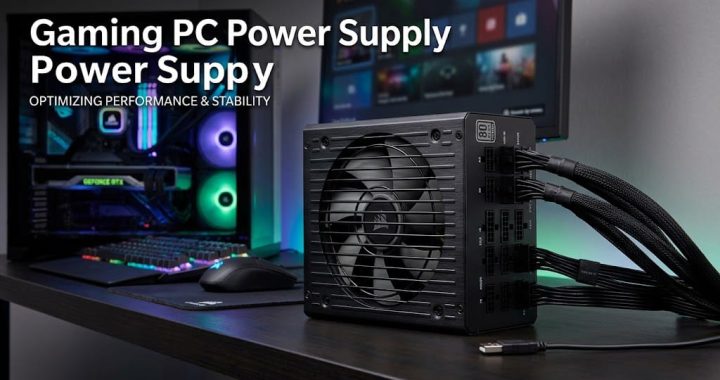
- Quality power supplies to protect your hardware
- Upgrade-friendly motherboards
- Wi-Fi connectivity for online gaming convenience
- USB-C ports for modern peripherals
- Optional RGB lighting for that personal flair
- Quiet fans to keep distractions down
Desktop vs. Laptop: Which One Fits You?
Debating between a gaming desktop or laptop? Here’s a quick breakdown:
Budget Gaming Desktop
- Pros: Better performance, easier upgrades, lower cost, superior cooling, longer lifespan
- Cons: Less portable
Gaming Laptop
- Pros: Portable, built-in display, convenient for travel
- Cons: Higher price, limited upgrades, tends to run hotter
If you want maximum gaming value and longevity, desktops generally take the lead.
Who Should Consider a Budget Gaming PC?
This type of PC is perfect for:
- Students
- Beginner and casual gamers
- Streamers getting started
- Content creators on a budget
- Office users who game on the side
- Families sharing a computer
It offers solid performance for gaming, productivity, and entertainment.
Upgrade Possibilities: Future-Proofing Your Investment
One big advantage of a budget PC is that you can upgrade as your needs grow. Think:
- More RAM
- Larger SSD
- A better graphics card
- Faster processor
- Improved cooling systems
- A higher-quality monitor
This flexibility means your PC can keep pace with games and software for years to come.
Smart Tips Before You Buy
Keep these in mind to avoid buyer’s remorse:
- Compare prices from multiple sellers
- Read customer reviews for real-world insights
- Stick with trusted brands
- Don’t skimp on the power supply
- Check that the motherboard supports upgrades
- Confirm warranty coverage
- Look out for seasonal sales and discounts
Common Mistakes to Avoid
New buyers sometimes fall into these traps:
- Choosing a PC based solely on flashy RGB lighting
- Ignoring the importance of a strong graphics card
- Settling for only 8GB of RAM
- Buying a system with a traditional hard drive instead of an SSD
- Picking a weak power supply
- Overlooking upgrade potential
Steering clear of these ensures better performance and longevity.
Is Building Your Own PC Worth It?
If you enjoy tinkering and want complete control, building your own gaming PC offers:
- Better value for your money
- Higher-quality parts
- Simpler future upgrades
- A personalized setup
However, if convenience and warranty support are your priorities, a prebuilt system from a reputable brand can be the way to go.
Final Thoughts
Getting the Best budget gaming PC means you don’t have to compromise on smooth gameplay or future-proofing. Thanks to advancements in CPUs, GPUs, and SSDs, affordable rigs can deliver fantastic performance.
Focus on a strong graphics card, at least 16GB of RAM, and upgrade-friendly components. With the right choices, your budget gaming PC will provide years of enjoyment, whether for gaming, streaming, or everyday use.
Happy gaming, and here’s to building your perfect setup without breaking the bank!