Dell Desktop Computer: A Complete Guide for Home, Office, and Everyday Use
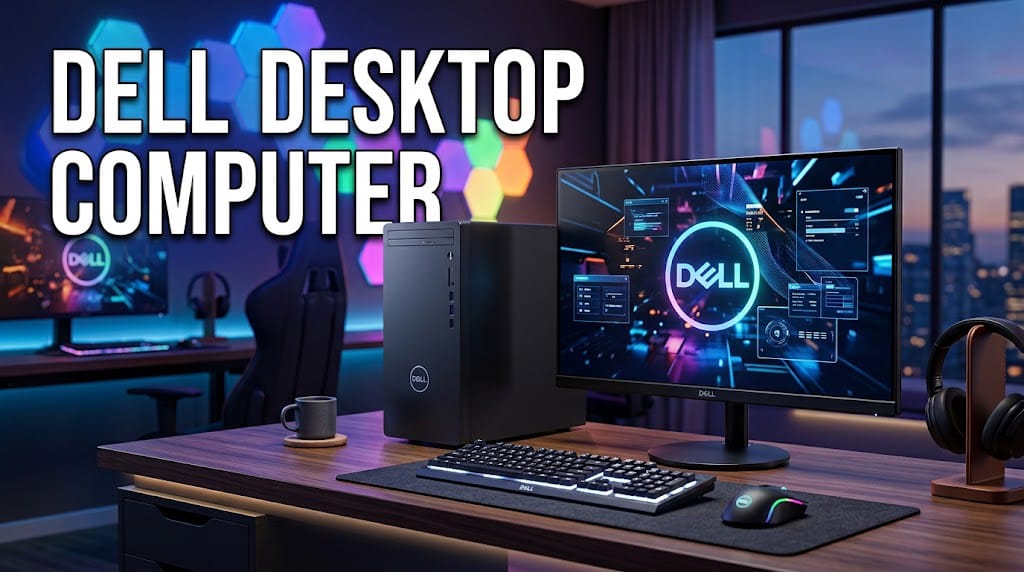
A Dell Desktop Computer is a reliable choice for users who need dependable performance, flexible features, and long-term value. Dell offers desktop computers for many different needs, including office work, studying, home entertainment, professional tasks, and gaming. With different sizes, processors, storage options, and memory configurations available, choosing the right Dell desktop can be easier when you understand the key features.
Why Choose a Dell Desktop Computer?
Dell is well known for producing computers designed for both personal and professional use. A Dell desktop computer can provide strong performance while offering more upgrade flexibility than many laptops. Desktop models are also useful for users who want a larger monitor, comfortable keyboard, and a permanent workstation.
Another advantage is the variety of models. Dell offers compact desktops for small workspaces as well as larger systems with more powerful hardware. This makes it possible to choose a computer based on your budget and performance requirements.
Performance and Processor Options
The processor is one of the most important components of any desktop computer. Dell desktops can be configured with different Intel and AMD processors depending on the model and generation.
For basic tasks such as browsing websites, writing documents, watching videos, and using email, an entry-level processor can be sufficient. Users who regularly work with demanding applications, large files, programming tools, or professional software may benefit from a more powerful processor.
A faster processor can improve multitasking and reduce waiting times when running multiple applications. When selecting a Dell desktop, consider what applications you use most often rather than choosing a processor based only on its model name.
RAM for Smooth Multitasking
RAM helps your computer handle multiple programs at the same time. A Dell desktop with enough RAM can provide a smoother experience when switching between browser tabs, office applications, media players, and other software.
For everyday computing, a suitable amount of RAM can handle common tasks comfortably. Users working with demanding applications or frequent multitasking should consider a higher RAM configuration.
Some Dell desktop models also allow RAM upgrades later. This can be useful because you can start with a configuration that fits your budget and upgrade when your needs increase.
Storage Options
Storage is another important factor when buying a Dell desktop computer. Modern desktops may use solid-state drives (SSDs), traditional hard disk drives (HDDs), or a combination of both.
An SSD generally provides faster startup and application loading than a traditional HDD. This can make everyday computer use feel more responsive. Larger storage capacity is useful if you keep many photos, videos, documents, games, or other files on your computer.
Before purchasing, think about both speed and capacity. A computer with fast storage can be excellent for everyday use, while additional storage may be necessary for users with large collections of files.
Dell Desktop Computer for Office Work
Dell desktops are popular for office environments because they can provide a comfortable and stable workstation. They can handle common office applications such as word processors, spreadsheets, presentations, email, web browsers, and video conferencing software.
For office use, you may not need the most powerful hardware. Instead, focus on reliable performance, sufficient RAM, fast storage, and connectivity options. A good monitor can also improve productivity, especially for users who spend many hours working with documents or spreadsheets.
Dell Desktop Computer for Students
Students can also benefit from a Dell desktop computer. A desktop can provide enough performance for research, online classes, document creation, presentations, and educational software.
A larger display can make reading documents and working on assignments more comfortable. Students who use programming software, design applications, or other demanding tools should consider a model with a stronger processor and additional RAM.
Because desktops are designed to remain in one location, they can also create a dedicated study area at home.
Dell Desktops for Home Use
For families and home users, a Dell desktop can be a practical option for everyday computing. It can be used for browsing the internet, streaming content, managing photos, creating documents, and staying connected with friends and family.
Compact Dell desktop models can be especially useful when desk space is limited. Larger systems may be better for users who want more connectivity or future upgrade options.
Connectivity and Ports
Connectivity is another feature worth checking before buying. Depending on the model, a Dell desktop may include USB ports, audio connections, display outputs, Ethernet, and wireless connectivity.
Think about the devices you plan to connect, such as printers, external storage drives, keyboards, mice, webcams, speakers, or additional monitors. Having enough ports can help you avoid relying on multiple adapters.
Upgrade Potential
One major benefit of many desktop computers is their upgrade potential. Depending on the specific Dell model, users may be able to upgrade components such as RAM or storage.
Upgrading can extend the useful life of a computer and improve performance without replacing the entire system. However, upgrade options vary between models, so it is important to check the specifications and internal design of the exact desktop before purchasing additional components.
Design and Size
Dell desktop computers come in different form factors. Compact systems are designed to save desk space, while larger tower-style computers can provide additional room for components and upgrades.
If you have a small workspace, a compact desktop may be the better choice. If you need stronger hardware or expect to upgrade your system later, a larger case may provide more flexibility.
Choosing the Right Dell Desktop Computer
When choosing a Dell desktop computer, start by identifying your main purpose. For simple browsing and office work, an affordable configuration may be enough. For professional applications, content creation, programming, or demanding workloads, look for stronger hardware.
You should also consider your budget, storage requirements, RAM, processor, graphics capabilities, connectivity, and upgrade options. Avoid paying for performance you will never use, but also avoid choosing hardware that may quickly become insufficient for your needs.
Conclusion
A Dell Desktop Computer can be an excellent solution for home users, students, office workers, and professionals. With different designs and hardware configurations available, Dell provides options for a wide range of computing requirements.
The best model depends on how you plan to use your computer. Consider the processor, RAM, storage, graphics, connectivity, size, and upgrade possibilities before making a purchase. By matching the specifications with your actual needs, you can choose a Dell desktop that delivers reliable performance and useful long-term value.