Best iPad for Drawing Procreate: Top Choices for Digital Artists
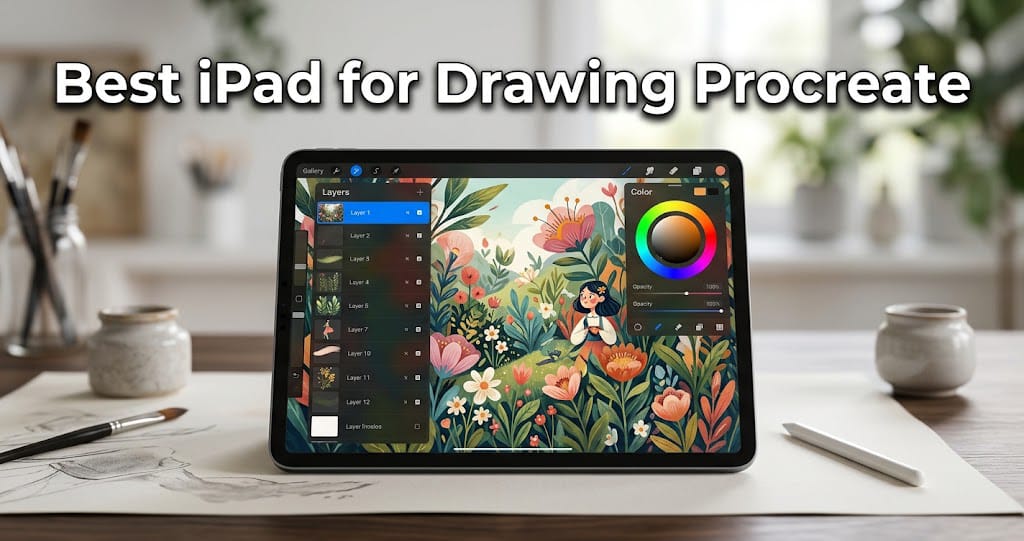
If you are looking for the best iPad for drawing Procreate, choosing the right model can make a big difference in your digital art experience. Procreate is one of the most popular drawing and illustration apps for iPad, offering powerful brushes, layers, animation tools, color controls, and professional editing features. However, not every iPad provides the same display quality, performance, storage, or Apple Pencil support.
The good news is that there are several excellent iPad options for beginners, students, hobby artists, and professional digital creators. In this guide, we will explain what to look for and which features matter most when choosing an iPad for Procreate.
What Makes an iPad Good for Procreate?
Before choosing an iPad, it is important to understand which specifications affect drawing performance. Procreate can run on supported iPad models, but more powerful hardware is especially useful when working with large canvases, many layers, detailed illustrations, and animation projects.
The most important features include the processor, display, Apple Pencil compatibility, RAM, storage, and screen size.
A powerful processor helps Procreate respond quickly when you use large brushes, complex artwork, transformations, and multiple layers. A high-quality display gives you better color accuracy and a more enjoyable drawing surface.
1. iPad Pro – Best Overall for Procreate
For artists who want maximum performance, the iPad Pro is one of the strongest choices. Its high-end hardware is designed for demanding creative applications and multitasking.
The larger iPad Pro models provide plenty of screen space for drawing. This is especially useful when working on detailed illustrations because you can keep your artwork visible while still having room for Procreate’s tools.
The iPad Pro also offers a premium display experience, making it a strong choice for artists who care about color, contrast, and smooth visuals. Combined with a compatible Apple Pencil, it provides a highly responsive digital drawing setup.
Why Choose iPad Pro?
- Excellent performance
- Premium display quality
- Large screen options
- Excellent Apple Pencil experience
- Great for professional artwork
- Suitable for large and complex Procreate projects
If budget is not your main concern, the iPad Pro is a great choice for serious digital artists.
2. iPad Air – Best Balance of Price and Performance
For many people, the iPad Air is the best iPad for drawing Procreate because it offers a strong combination of performance, portability, and price.
The iPad Air is powerful enough for many creative tasks while generally costing less than the iPad Pro. It is a particularly attractive option for students, hobby artists, and creators who want a high-quality drawing device without buying the most expensive model.
Its lightweight design also makes it easy to carry between home, school, work, or a studio.
Why Choose iPad Air?
- Powerful performance
- Excellent for Procreate
- Lightweight and portable
- Supports compatible Apple Pencil models
- Good display
- Usually more affordable than iPad Pro
If you want a device that can handle serious digital art but do not need every premium feature, the iPad Air deserves serious consideration.
3. iPad – Best Budget Option for Procreate
The standard iPad can be an excellent starting point for beginners. If you are learning digital drawing or just starting with Procreate, you may not need an expensive professional tablet.
A standard iPad can provide enough performance for many illustrations, sketches, notes, and creative projects. It is also generally easier on the budget than Apple’s higher-end iPad models.
The main thing to check before buying is Apple Pencil compatibility and whether the specific generation you choose meets your needs.
Why Choose the Standard iPad?
- More affordable
- Good for beginners
- Suitable for basic and intermediate artwork
- Portable design
- Access to Procreate
- Useful for school and everyday tasks
For someone new to digital art, spending less on the tablet can leave more room in the budget for accessories such as an Apple Pencil and protective case.
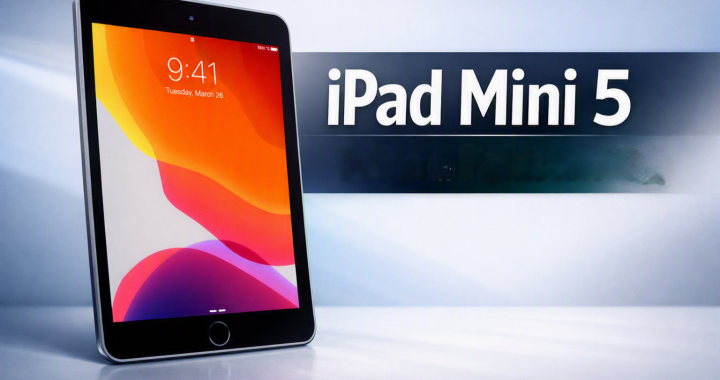
4. iPad Mini – Best for Portable Drawing
If portability is your biggest priority, the iPad mini is another option worth considering. Its compact size makes it easy to carry in a small bag or use while traveling.
The smaller display is not ideal for every artist, particularly those who prefer large canvases. However, it can be convenient for sketching, quick illustrations, character concepts, and drawing ideas while away from your desk.
The iPad mini can also be useful as a secondary creative device for artists who already have a larger computer or tablet.
Why Choose iPad Mini?
- Very portable
- Compact design
- Convenient for quick sketches
- Easy to carry
- Good for artists who prefer smaller screens
If you frequently travel and want something compact, the iPad mini can be an appealing choice.
Apple Pencil Compatibility Matters
When choosing the best iPad for drawing Procreate, do not look only at the iPad itself. The Apple Pencil is an important part of the drawing experience.
Apple Pencil models provide features designed for precise input, allowing artists to create lines, sketches, shading, and detailed illustrations. Different iPad generations support different Pencil models, so always check compatibility before purchasing.
For serious artists, features such as pressure sensitivity, low latency, precision, and comfortable handling can make drawing feel much more natural.
How Much Storage Do You Need?
Storage is another important consideration for Procreate users. Digital artwork can take up significant space, especially if you save large canvases, layered projects, animations, reference images, and exported files.
If you only create simple sketches, a lower storage capacity may be enough. However, artists who regularly work on large projects should consider buying more storage.
Think about how you normally work. If you want to keep many projects directly on your iPad, additional storage can provide more flexibility.
Screen Size for Digital Drawing
Screen size is largely a personal preference.
A larger iPad gives you more room for your artwork and Procreate’s interface. This can be helpful for detailed illustrations, comics, concept art, and professional projects.
A smaller iPad is easier to carry and can be more comfortable for quick sketches and travel.
For artists who spend hours drawing, a larger screen may be preferable because it provides more workspace. On the other hand, portability can be more important for students and creators who frequently move around.
Performance and Procreate
Procreate can be demanding when you work with large canvases and many layers. A faster processor can provide smoother performance and help the app handle demanding projects.
If you mostly create simple sketches, you may not need the most powerful iPad available. But if you plan to create professional illustrations, animations, or high-resolution artwork, investing in a more capable model can be worthwhile.
A newer iPad can also give you more performance headroom for future versions of creative apps.
Best iPad for Beginners
Beginners do not necessarily need an iPad Pro. A standard iPad or iPad Air can provide an excellent starting point.
If you are learning Procreate for the first time, focus on getting a compatible Apple Pencil, enough storage, and a comfortable screen size.
As your skills improve, you can decide whether you need a more powerful setup. This approach can help beginners avoid spending too much before they know what features they actually need.
Best iPad for Drawing Procreate Professional Artists
Professional artists who regularly create large, detailed projects may prefer the iPad Pro. Its premium hardware, large display options, and high performance make it suitable for demanding creative workflows.
However, an iPad Air can also be more than capable for many professional artists. The best choice depends on your workload, preferred screen size, storage needs, and budget.
Tips for Choosing the Right iPad for Procreate
Before buying an iPad, consider these points:
1. Check Apple Pencil support: Make sure the iPad supports the Pencil model you want.
2. Choose the right screen size: Think about whether you prefer portability or a larger drawing workspace.
3. Consider storage: Large Procreate projects can use considerable storage.
4. Think about performance: More demanding artwork benefits from more powerful hardware.
5. Set a realistic budget: Remember to include the cost of the Apple Pencil and other accessories.
6. Consider future use: Choose a model that will continue meeting your creative needs as your skills develop.
Final Thoughts
Choosing the best iPad for drawing Procreate depends on your artistic goals and budget. The iPad Pro is an excellent premium choice for professional artists who want maximum performance and a large, high-quality drawing workspace. The iPad Air offers an impressive balance of performance and price, making it a strong choice for many artists.
For beginners, the standard iPad can be a practical and affordable way to start learning digital art. Meanwhile, the iPad mini is a great option for creators who value portability and enjoy sketching on the go.
No matter which model you choose, make sure it supports the appropriate Apple Pencil and offers enough storage for your artwork. With Procreate and a compatible iPad, you can create everything from simple sketches to detailed professional illustrations.