

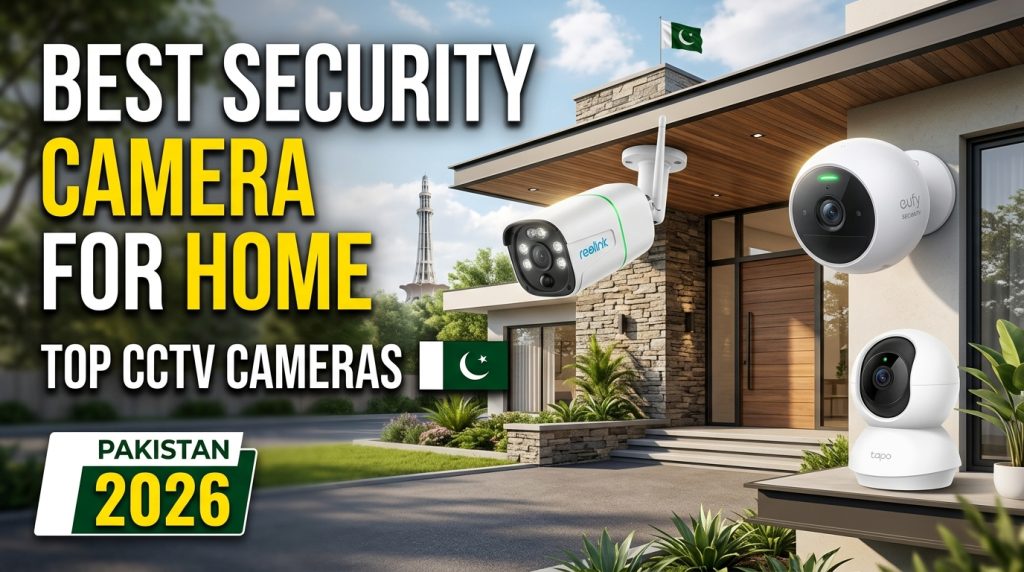
Security Camera for Home: Complete Guide, Types, Features, and Buying Tips
A security camera for home is one of the best ways to improve the safety and security of your family, property, and valuable belongings. With modern technology, home security cameras are no longer limited to expensive professional systems. Today, homeowners can choose from affordable Wi-Fi cameras, indoor cameras, outdoor security cameras, smart doorbell cameras, and advanced CCTV systems.
Modern security cameras provide features such as HD and 4K video recording, night vision, motion detection, two-way audio, mobile notifications, cloud storage, and remote monitoring. These features allow homeowners to check their property from almost anywhere using a smartphone.
If you are planning to buy a security camera for home, this guide will help you understand the different types, important features, installation options, storage methods, and factors to consider before making a purchase.
Why Do You Need a Security Camera for Home?
Home security cameras can provide an additional layer of protection for your property. They allow you to monitor entrances, rooms, garages, gardens, and other important areas.
One of the biggest advantages is remote monitoring. A smart Wi-Fi security camera can connect to your smartphone through an app, allowing you to view live video while you are away from home.
Security cameras can also help you monitor children, elderly family members, pets, delivery packages, and visitors. Some advanced models can send alerts when they detect movement or unusual activity.
A visible security camera may also discourage potential intruders from targeting your property.
Types of Security Cameras for Home
There are several types of home security cameras available in the market. The right option depends on your home, budget, and security requirements.
1. Indoor Security Camera
Indoor cameras are designed for monitoring rooms inside your home. They are commonly installed in living rooms, hallways, bedrooms, offices, and entry areas.
Many indoor cameras feature compact designs and can be placed on a table or mounted on a wall. Wi-Fi connectivity allows users to access live video through a smartphone app.
Some models also offer 360-degree rotation, motion tracking, night vision, and two-way communication.
2. Outdoor Security Camera
Outdoor security cameras are designed to withstand weather conditions such as rain, dust, heat, and humidity. They are ideal for monitoring entrances, gates, parking areas, gardens, and outdoor spaces.
When choosing an outdoor camera, look for a weather-resistant design and a suitable IP rating. A good outdoor security camera should also provide clear night vision and a wide viewing angle.
3. Wi-Fi Security Camera
A Wi-Fi security camera connects to your home internet network and usually works through a mobile application.
These cameras are popular because they are relatively easy to install and do not always require complicated wiring. You can watch live footage, receive motion alerts, and change camera settings from your smartphone.
However, Wi-Fi cameras depend on a stable internet connection for remote viewing and cloud-based features.
4. CCTV Security Camera
Traditional CCTV systems usually include multiple cameras connected to a digital video recorder or network video recorder. They are suitable for homeowners who want continuous recording and multiple-camera coverage.
CCTV systems can require more installation work than wireless cameras, but they can provide reliable local recording and are commonly used for larger properties.
5. Smart Doorbell Camera
A smart doorbell camera combines a doorbell with a security camera. It can show you who is standing outside your door and may allow you to communicate with visitors.
Many smart doorbell cameras include motion detection, night vision, smartphone notifications, and two-way audio.
Important Features of a Home Security Camera
Before buying a security camera for home, it is important to understand the features that can affect video quality and overall performance.
HD or 4K Video Quality
Video resolution determines how clearly the camera records images. Full HD cameras can provide good image quality for most home applications, while 2K and 4K cameras can capture more detailed footage.
If you need to identify faces, license plates, or other small details, choosing a higher-resolution camera can be beneficial.
Night Vision
Night vision is an important feature for home security. It allows the camera to record video in low-light or completely dark environments.
Infrared night vision is commonly used in security cameras. Before buying an outdoor camera, check its night vision range to make sure it can cover the required area.
Motion Detection
Motion detection allows the camera to identify movement within its viewing area. When movement is detected, the camera can record video or send a notification to your smartphone.
Some advanced cameras use smart detection technology to distinguish between people, vehicles, animals, and other moving objects. This can help reduce unnecessary notifications.
Two-Way Audio
Two-way audio allows you to listen to what is happening around the camera and communicate through its built-in microphone and speaker.
This feature can be useful for talking to family members, visitors, delivery drivers, or other people near your home.
Wide-Angle View
A wide-angle security camera can cover a larger area than a camera with a narrow viewing angle. This can reduce the number of cameras needed to monitor a room or outdoor area.
Pan-and-tilt cameras can provide even greater coverage because they can move horizontally and vertically.
Mobile App Support
Most modern smart security cameras come with Android and iOS applications. A mobile app allows users to view live footage, receive notifications, access recordings, and change settings.
Before buying a camera, check whether its mobile app is reliable and compatible with your smartphone.
Cloud Storage vs Local Storage
Home security cameras can use different methods to store recorded video.
Cloud storage saves recordings on remote servers. It allows you to access footage from different locations, but some services require a monthly or yearly subscription.
Local storage saves recordings on a microSD card, hard drive, DVR, or NVR. It can reduce recurring subscription costs, but storage capacity is limited.
Some cameras support both cloud and local storage, giving users more flexibility.
Wired vs Wireless Security Cameras
A wired security camera usually receives power through a cable and may use a wired network connection for video transmission. Wired systems can provide stable connections and are suitable for permanent installations.
Wireless cameras are easier to install because they reduce the need for network cables. However, wireless models still need a reliable power source unless they have a rechargeable battery.
Battery-powered security cameras are convenient for locations where running power cables is difficult.
How Many Security Cameras Do You Need?
The number of cameras depends on the size and layout of your home.
For a small house or apartment, one camera at the main entrance and another camera covering an important indoor area may be enough.
For a larger property, you may want cameras covering:
- Main entrance
- Back door
- Garage
- Parking area
- Garden
- Hallways
- Living room
- Other important entry points
The goal should be to cover important access points without unnecessarily recording private areas.
Best Places to Install Home Security Cameras
Camera placement is extremely important. A high-quality camera cannot provide effective security if it is installed in the wrong location.
Outdoor cameras can be installed above the main entrance, driveway, gate, garage, and other vulnerable entry points.
Indoor cameras can be positioned in common areas such as living rooms and hallways. Avoid placing cameras in locations where privacy is expected, such as bathrooms and private changing areas.
The camera should also be positioned high enough to reduce the risk of tampering while still providing a clear view.
Security and Privacy Considerations
A connected home security camera is part of your home network, so security should be taken seriously.
Always use a strong and unique password for your camera account. Keep the camera firmware and mobile application updated. If the camera supports two-factor authentication, enable it.
You should also carefully review cloud storage and privacy settings before connecting the camera to your home network.
Security Camera for Home Price in Pakistan
The security camera for home price in Pakistan depends on the camera type, resolution, brand, storage options, connectivity, and additional features.
Basic indoor Wi-Fi cameras are generally more affordable, while advanced outdoor cameras, PTZ cameras, 4K models, and multi-camera CCTV systems can cost considerably more.
Instead of choosing a camera only because of its low price, consider video quality, night vision, reliability, warranty, storage, and mobile app support.
How to Choose the Best Security Camera for Home
When buying a home security camera, consider the following factors:
- Location: Decide whether you need an indoor or outdoor camera.
- Resolution: Choose HD, 2K, or 4K according to your needs.
- Night vision: Make sure it provides enough range for nighttime monitoring.
- Connectivity: Check Wi-Fi compatibility and network requirements.
- Storage: Decide between cloud storage, microSD, DVR, or NVR.
- Motion detection: Look for smart detection if you want fewer false alerts.
- Audio: Two-way audio can be useful for communication.
- Weather resistance: Outdoor cameras should be designed for outdoor conditions.
- Mobile app: Make sure the camera supports a reliable smartphone application.
- Budget: Choose a model that provides the features you actually need.
Final Thoughts
A security camera for home can provide valuable protection and peace of mind. Whether you live in an apartment, house, or larger property, there are many camera options available for different budgets and security requirements.
Wi-Fi cameras are a convenient choice for simple installations, while wired CCTV systems can be suitable for larger properties requiring continuous recording. Outdoor cameras are ideal for gates, entrances, garages, and gardens, while indoor cameras can help monitor important areas inside the home.
Before buying a security camera, focus on video quality, night vision, motion detection, storage, connectivity, privacy, and installation requirements. Choosing the right camera and installing it correctly can make your home monitoring system much more useful and reliable.
