

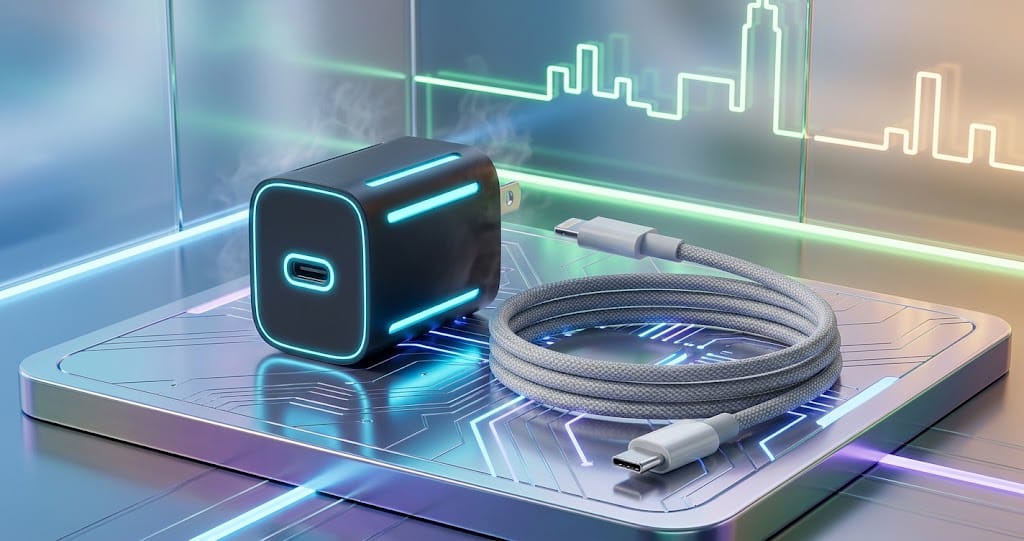
iPhone Fast Charger: Complete Guide to Faster and Safer Charging
An iPhone fast charger significantly reduces the time needed to recharge your device. Instead of waiting hours, a compatible fast charger delivers substantial battery power quickly. With newer iPhone models supporting USB-C and advanced fast-charging technologies, selecting the right charger is more crucial than ever.
Whether you’re replacing an old charger, buying one for travel, or seeking a reliable everyday charger, understanding wattage, cables, compatibility, and safety ensures you make the best choice.
What Is an iPhone Fast Charger?
An iPhone fast charger is a power adapter and cable combo designed to charge a compatible iPhone faster than older, lower-power chargers. Fast charging speed depends on various factors such as the iPhone model, charger power, cable quality, battery condition, and charging temperature.
Modern iPhones support USB-C charging, while some older models use the Lightning connector. The charger connects to the iPhone through the appropriate cable.
Importantly, a fast charger doesn’t simply push maximum power into the battery. The iPhone and charger communicate to manage power delivery, ensuring faster charging while protecting the battery’s health.
Why Choose an iPhone Fast Charger?
The main advantage of an iPhone fast charger is convenience. When your battery is low before school, work, travel, or any important activity, a fast charger helps you gain more battery power in less time.
Fast charging is especially valuable when you don’t have hours to leave your phone plugged in. You can charge your iPhone quickly while getting ready, eating, or taking a short break.
Other benefits include:
- Faster battery top-ups
- Convenient charging during busy days
- Better compatibility with modern devices
- Useful for travel and emergency charging
- One charger can sometimes power multiple devices
How Does iPhone Fast Charging Work?
Fast charging allows a compatible charger to deliver more power than traditional basic adapters. The iPhone controls the charging process, adjusting power based on factors like battery temperature, battery percentage, and other conditions.
Charging is usually faster when the battery is low and slows down as it nears full capacity. This gradual slowdown is normal and helps protect battery health and manage temperature.
For optimal results, the charger, cable, and iPhone should all support the appropriate fast-charging standard.
Choosing the Right Charger Wattage
Wattage is a key factor when selecting an iPhone fast charger. Chargers come in various power levels, commonly including:
- 20W
- 30W
- 35W
- 45W and higher
Higher wattage chargers can deliver faster charging, but your iPhone will only draw the power it supports, ensuring safe charging.
A higher-wattage charger does not guarantee your iPhone will charge at that exact wattage. The phone itself decides how much power it can safely accept, ensuring battery protection.
For most users, a quality USB-C power adapter around 20W is an effective and practical choice for fast charging compatible iPhones. Higher-wattage adapters can be beneficial if you also want to charge other devices like an iPad or laptop with the same charger.
When selecting a charger, prioritize compatibility and quality over simply opting for the highest wattage.
USB-C vs. Lightning Chargers
The type of cable you need depends on your iPhone model.
USB-C vs. Lightning Chargers
Newer iPhone models use USB-C, allowing you to use a standard USB-C cable with compatible power adapters. Older iPhones typically have a Lightning connector on the phone side.
Before buying a charger, verify which connector your iPhone uses. A charger with the wrong cable won’t be effective unless you also get the correct cable separately.
USB-C offers greater flexibility since it’s widely used across many devices such as smartphones, tablets, laptops, and headphones.
Is a Higher-Watt Charger Better?
Not necessarily. While a higher-wattage charger can be useful, it doesn’t automatically make your iPhone charge dramatically faster.
For instance, buying a 100W charger doesn’t mean your iPhone will charge at 100W. The iPhone controls how much power it draws based on its design and charging needs, ensuring safety and battery health.
Using a Higher-Power Charger for Multiple Devices
A higher-power charger can be useful if you want a single adapter for multiple devices. For example, you might use the same charger for your iPhone, tablet, and compatible laptop.
However, if you only need to charge an iPhone, a reliable charger with the appropriate power level is generally more practical than buying an unnecessarily powerful adapter.
Importance of a Good Charging Cable
The power adapter is just one part of the charging setup—the cable also plays a crucial role.
A poor-quality or damaged cable can cause:
- Slower charging
- Unreliable connections
- Charging interruptions
Always choose a cable compatible with your iPhone and charger:
- For USB-C iPhones, use a suitable USB-C cable.
- For older iPhones with Lightning ports, use a compatible Lightning cable.
Avoid cables that are visibly damaged, frayed, bent near connectors, or show signs of wear to ensure safe and efficient charging.
Apple Charger vs. Third-Party Charger
You don’t have to buy a charger directly from Apple. Many reputable third-party manufacturers make chargers compatible with iPhones.
When selecting a third-party fast charger, look for:
- A trusted manufacturer
- Proper safety certifications
- Suitable power output
- Good-quality construction
Avoid extremely cheap chargers from unknown sources, as they may lack quality and safety, risking damage to your phone or electrical equipment. A reliable charger should provide stable power and include protection features.
Safety Features to Look For
Safety should be a top priority when buying a charger. Quality adapters typically include protections against:
- Overcurrent
- Overheating
- Overvoltage
- Short circuits
Regularly inspect your charger and cable for damage or wear to maintain safe charging.
You should also inspect your charger and cable regularly. If an adapter becomes unusually hot, makes strange noises, smells unusual, or appears physically damaged, stop using it and have it checked or replaced by a qualified adult or professional.
Keep chargers away from water and avoid covering them with blankets or other materials while they are operating.
Fast Charging and Battery Health
Many people worry that fast charging will immediately damage an iPhone battery. In normal use with a compatible charger, the iPhone manages charging automatically.
Battery aging naturally occurs over time, and charging behavior is only one factor involved. Heat is particularly important, so keeping the phone at a reasonable temperature while charging is a good habit.
If your iPhone becomes unusually hot while charging, move it to a cooler, well-ventilated location and avoid using it heavily during charging.
You should also use the battery-health and charging features provided by the iPhone to help manage long-term battery performance.
Best iPhone Fast Charger for Travel
A compact charger can be a great option for people who travel frequently. Instead of carrying a large power adapter, you can choose a small USB-C charger that fits easily into a backpack or travel bag.
A multi-port charger can be even more convenient if you need to charge several devices. However, check the charger’s total power output and how that power is divided between ports.
For travel, look for a charger that is:
- Compact and lightweight
- Compatible with your iPhone
- Reliable and well-built
- Equipped with appropriate safety protections
- Suitable for your other devices
Common Mistakes When Buying a Fast Charger
One common mistake is focusing only on wattage. A charger with a huge power rating is not automatically the best choice.
Another mistake is buying an inexpensive cable without checking compatibility. The cable needs to support the connection and charging requirements of your device.
Some people also ignore the quality of the manufacturer. Choosing an established and trustworthy brand can provide greater confidence in product quality and safety.
Finally, avoid using damaged adapters or cables simply because they still appear to work.
How to Get the Best Charging Performance
To get the most from your iPhone fast charger, use a compatible power adapter and cable. Keep the charging port clean and free from debris, and avoid exposing your phone to excessive heat.
If you need the fastest possible charging, reduce demanding activities while the phone is charging. Gaming, video recording, navigation, and other intensive tasks can generate additional heat.
You should also avoid charging your iPhone in extremely hot environments.
Frequently Asked Questions
What is the best wattage for an iPhone fast charger?
For many compatible iPhone models, a quality charger around 20W is a practical choice. Higher-wattage adapters can be useful for charging multiple devices.
Can I use a higher-wattage charger with my iPhone?
Generally, a compatible higher-wattage charger can be used because the iPhone controls how much power it draws. Always choose a reputable, compatible charger.
Do I need a special cable for fast charging?
You need a cable that supports the connector and charging requirements of your particular iPhone. The cable should also be in good condition.
Is fast charging safe?
Fast charging with a compatible, good-quality charger is designed to be safe. The iPhone manages the charging process and adjusts power as needed.
Can one charger charge an iPhone and other devices?
Yes. A suitable multi-port or higher-power USB-C charger can be convenient for charging multiple compatible devices.
Final Thoughts
Choosing the right iPhone fast charger is about more than selecting the highest wattage. A good charger should provide appropriate power, reliable performance, compatibility, and safety features. You should also pair it with a suitable, high-quality cable.
