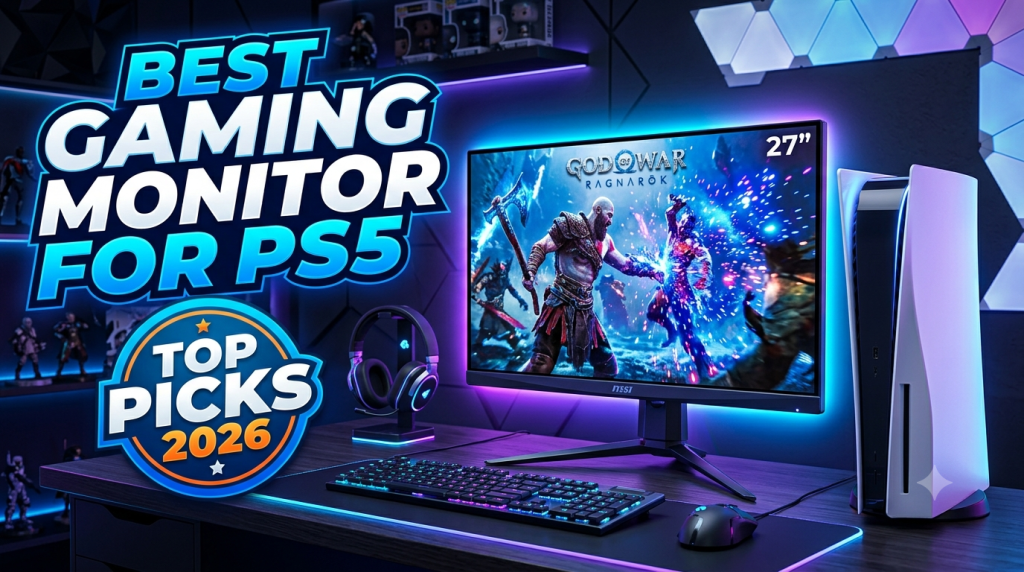
Best Gaming Monitor for PS5 (2026): Top Picks for Smooth Gameplay and Stunning Visuals
The PlayStation 5 (PS5) is one of the most powerful gaming consoles available today, delivering breathtaking graphics, fast loading times, and support for advanced gaming technologies like 4K resolution, HDR, and up to 120Hz refresh rates. However, to unlock the console’s full potential, you need the right display. Choosing the best gaming monitor for PS5 can dramatically improve your gaming experience by providing smoother gameplay, sharper visuals, and lower input lag.
Whether you’re a competitive gamer, a casual player, or someone who enjoys cinematic single-player adventures, this guide will help you understand what features matter most and how to choose the perfect gaming monitor for your PS5.
Why Use a Gaming Monitor Instead of a TV?
Many gamers use TVs with their PS5, but gaming monitors offer several advantages:
- Lower input lag for faster response times.
- Higher refresh rates for smoother gameplay.
- Better pixel density, resulting in sharper images.
- Compact size for desk gaming.
- Faster response times to reduce motion blur.
If you play competitive games like Call of Duty, Fortnite, EA Sports FC, or Apex Legends, a gaming monitor is often the better choice.
Features to Look for in the Best Gaming Monitor for PS5
1. 4K Resolution
The PS5 supports native 4K gaming, making Ultra HD monitors an excellent choice. A 4K monitor delivers:
- Sharper textures
- Better detail
- Improved realism
- Excellent HDR performance
If your budget is limited, a 1440p monitor is also a great option because the PS5 now supports 1440p output.
2. 120Hz Refresh Rate
Many PS5 games support 120 FPS.
A monitor with:
- 120Hz
- 144Hz
- 165Hz
will allow smoother gameplay than a standard 60Hz display.
Popular PS5 games supporting high frame rates include:
- Call of Duty
- Fortnite
- Rainbow Six Siege
- Destiny 2
- Rocket League
3. HDMI 2.1 Support
HDMI 2.1 is one of the most important features.
Benefits include:
- 4K at 120Hz
- Better HDR
- Lower latency
- Variable Refresh Rate (VRR)
If you want the absolute best PS5 experience, choose a monitor with HDMI 2.1.
4. Low Response Time
Response time measures how quickly pixels change color.
Look for:
- 1ms
- 2ms
- 4ms maximum
Lower response times reduce ghosting during fast-moving scenes.
5. HDR Support
HDR (High Dynamic Range) improves:
- Brightness
- Contrast
- Color accuracy
- Shadow detail
Games like Horizon Forbidden West and Spider-Man 2 look significantly better with HDR enabled.
6. Variable Refresh Rate (VRR)
VRR synchronizes the monitor refresh rate with the PS5 frame rate.
Advantages include:
- Less screen tearing
- Smoother gameplay
- Better performance during FPS drops
Best Monitor Sizes for PS5
24-inch
Ideal for:
- Competitive gaming
- Small desks
- Budget setups
27-inch
The sweet spot for most gamers.
Advantages:
- Sharp image quality
- Comfortable viewing
- Great for both gaming and work
32-inch
Perfect for:
- Immersive gaming
- Story-driven games
- Racing simulators
IPS vs VA vs OLED Panels
IPS
Pros:
- Excellent colors
- Wide viewing angles
- Great overall image quality
Best for most gamers.
VA
Pros:
- Better contrast
- Deep blacks
- Good for dark games
OLED
Pros:
- Incredible colors
- Perfect blacks
- Instant response time
Cons:
- Expensive
If budget isn’t an issue, OLED provides one of the best gaming experiences available.
Recommended Gaming Monitor Categories for PS5
Instead of focusing on a single model, consider these categories based on your needs:
Budget Monitors
Ideal if you want:
- 1080p or 1440p
- 120Hz+
- Affordable pricing
Suitable for casual gamers.
Mid-Range Monitors
Usually offer:
- 1440p
- 165Hz
- HDR
- IPS panels
These provide the best value for most PS5 users.
Premium Monitors
Expect features such as:
- 4K resolution
- HDMI 2.1
- HDR600 or higher
- OLED or Mini-LED panels
- Exceptional color accuracy
Perfect for gamers who want the best visual experience.
Best Games to Enjoy on a PS5 Gaming Monitor
A high-quality gaming monitor enhances games such as:
- God of War Ragnarök
- Marvel’s Spider-Man 2
- Gran Turismo 7
- Elden Ring
- Horizon Forbidden West
- Ratchet & Clank: Rift Apart
- Call of Duty
- EA Sports FC
- Fortnite
- Black Myth: Wukong
Tips for Buying the Best Gaming Monitor for PS5
Before purchasing, keep these tips in mind:
- Choose HDMI 2.1 if possible.
- Prefer 4K resolution for maximum image quality.
- Ensure support for 120Hz refresh rate.
- Select an IPS or OLED panel for vibrant colors.
- Look for HDR support.
- Check response time (1ms preferred).
- Consider adjustable stands for better ergonomics.
- Read user reviews and warranty details.
Common Mistakes to Avoid
Many buyers make these mistakes:
- Buying a 60Hz monitor for competitive gaming.
- Ignoring HDMI version compatibility.
- Paying extra for unnecessary PC-focused features.
- Choosing a monitor without HDR.
- Purchasing based only on size instead of overall performance.
Avoiding these mistakes will help you get the best value from your investment.
Is a 1440p Monitor Good for PS5?
Yes. Since Sony added 1440p support, these monitors have become an excellent choice for gamers who want a balance between price and performance.
Benefits include:
- Lower cost than 4K models
- Better performance in some games
- Sharper visuals than 1080p
- High refresh rates at reasonable prices
For many gamers, a 27-inch 1440p monitor with a 144Hz or 165Hz refresh rate offers the ideal combination of quality and value.
Final Thoughts
Finding the best gaming monitor for PS5 depends on your budget, preferred screen size, and the types of games you play. For the ultimate experience, prioritize a monitor with 4K resolution, HDMI 2.1, 120Hz refresh rate, HDR, VRR, and a fast response time. If you’re looking for the best balance between price and performance, a 27-inch 1440p IPS monitor with a 144Hz or 165Hz refresh rate is an excellent option.
A quality gaming monitor lets you experience everything the PS5 has to offer—from smooth competitive gameplay to breathtaking visuals in story-driven adventures. Investing in the right display ensures you get the most out of your console for years to come.
SEO Meta Title
Best Gaming Monitor for PS5 (2026) – Top 4K & 120Hz Monitors
Meta Description
Discover the best gaming monitor for PS5 in 2026. Learn how to choose the ideal 4K, 1440p, 120Hz, and HDMI 2.1 monitor for smooth gameplay, HDR visuals, and the ultimate PlayStation 5 gaming experience.
Focus Keyword
Best Gaming Monitor for PS5
SEO Keywords
- Best Gaming Monitor for PS5
- PS5 Gaming Monitor
- 4K Monitor for PS5
- HDMI 2.1 Monitor
- 120Hz Monitor for PS5
- Best 1440p Monitor for PS5
- Gaming Monitor Buying Guide
- Best PS5 Display
- HDR Gaming Monitor
- Best Monitor for PlayStation 5